Give resources their context
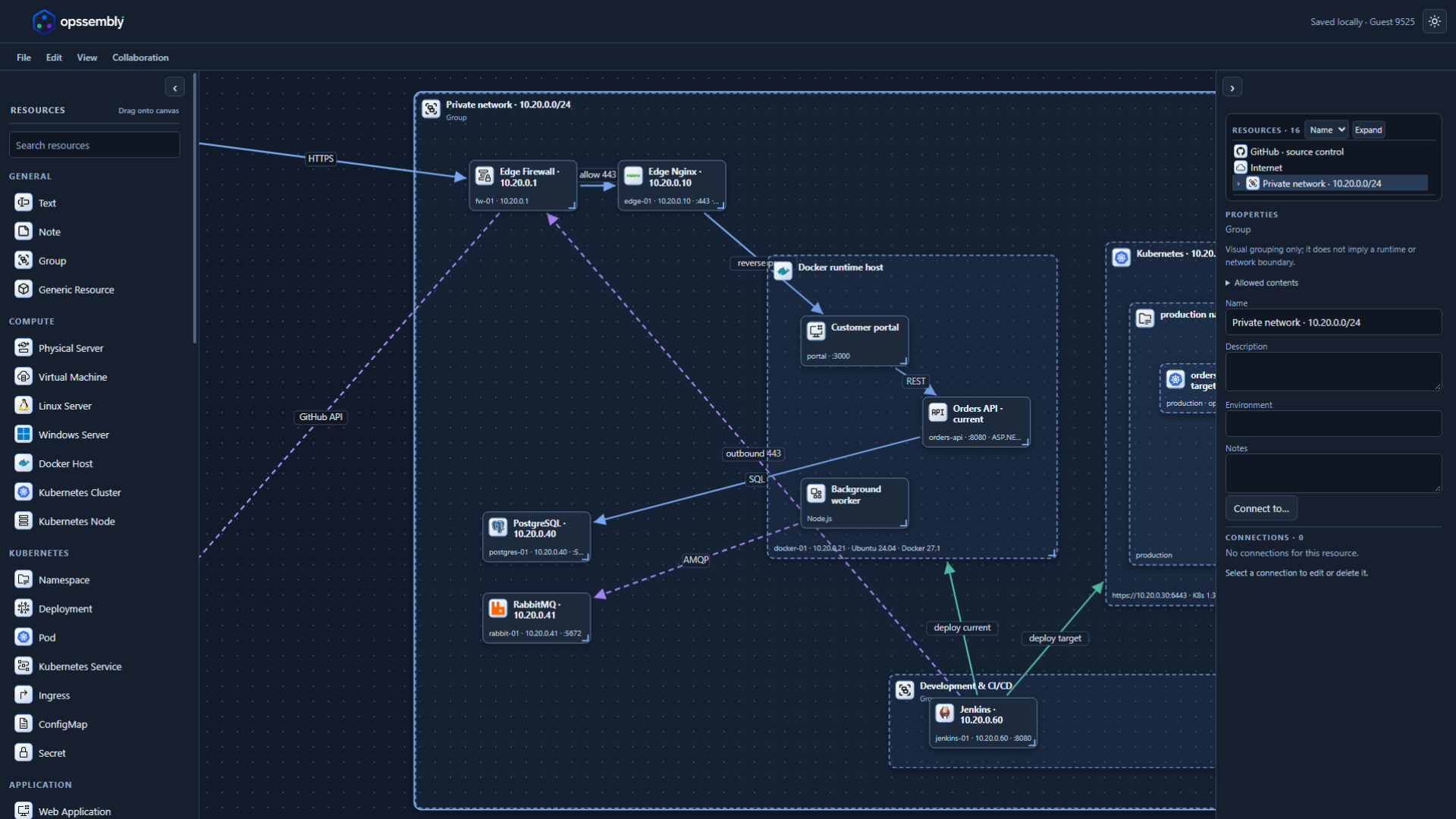
Place applications inside Docker hosts and workloads inside Kubernetes clusters. Keep related resources together, with properties such as hostnames, IP addresses and ports.

Free infrastructure diagram tool
Turn servers, containers and connections into a clear picture. Build your architecture in the browser, then bring your team into the same diagram.
Free to use. No account required.
Built for the conversation
For DevOps, platform and software teams who want to understand a system before changing it.
Place applications inside Docker hosts and workloads inside Kubernetes clusters. Keep related resources together, with properties such as hostnames, IP addresses and ports.
Describe traffic and dependencies with labeled connections. Set arrow direction, line style, color and thickness so the important paths stand out.
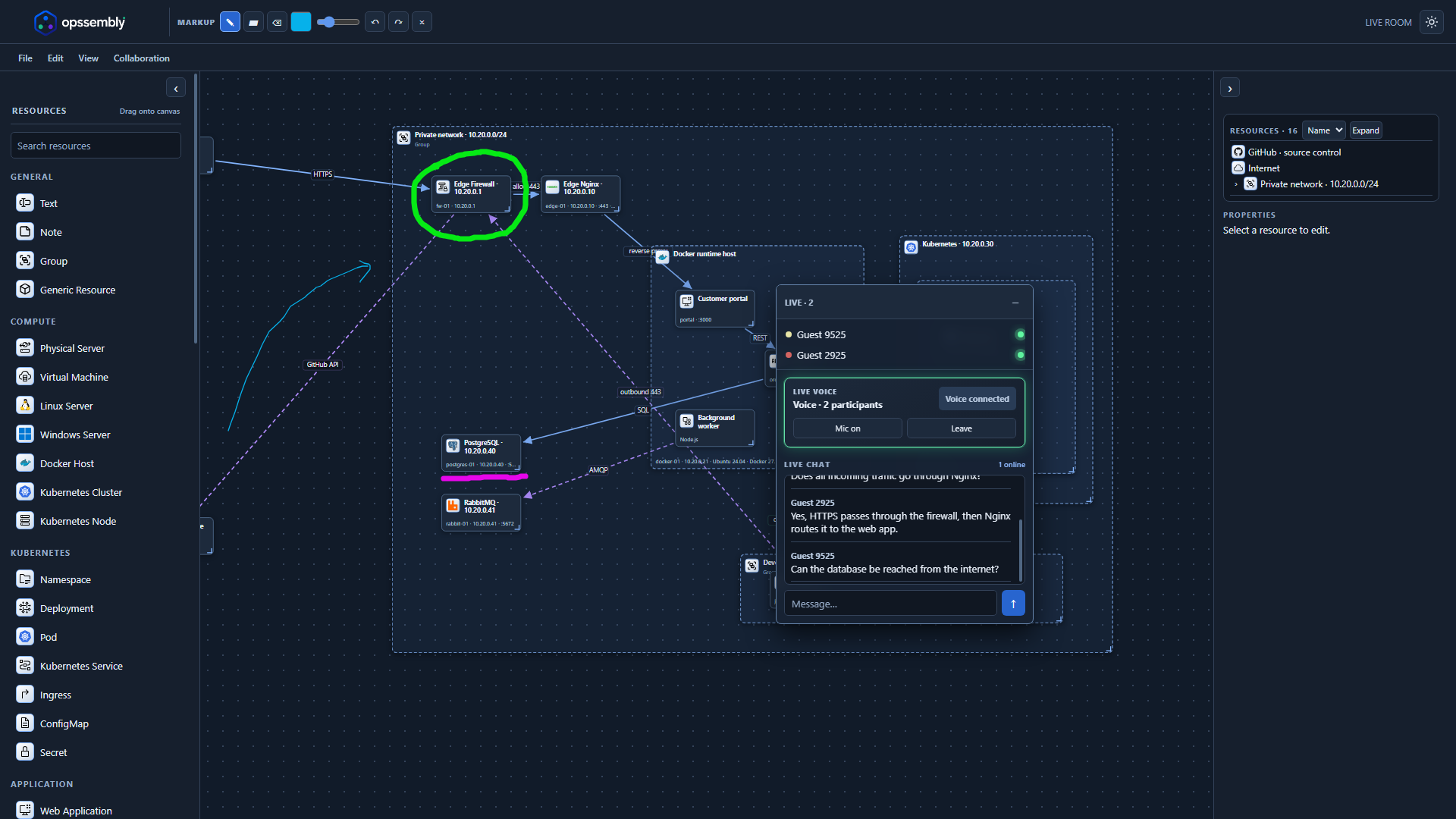
Invite up to three others into a live room. Use voice, text chat and temporary drawing to explain an idea directly on the shared diagram.
Live collaboration
Keep the conversation next to the diagram. See who's in the room, join voice and exchange messages in a floating panel. Use temporary drawings to point out what you mean.
A simple place to start
No blank-page problem. New projects start with an editable infrastructure example.
Go to your projectsOpen the app, choose New project and give your design a name. Explore the example or adapt it to your own environment.
Drag in resources, edit their properties and connect them. Map a local network, a container platform or a CI/CD workflow.
Keep a project in this browser and download a .opssembly backup. Start a live room when you want to work together.
Good to know
Yes, it is free to use. You can create projects and join live rooms as a guest without signing up. Opssembly is a personal project built to make infrastructure discussions easier.
No. Opssembly is a visual planning and discussion tool. Adding a server, a Docker host or a Kubernetes cluster creates a diagram resource, not a running service.
Local saved projects and recovery drafts use this browser's local storage; they do not automatically follow you to another device. When Google sign-in is enabled, you can also choose to save personal projects to your Opssembly account and open them on another device. Local projects are never uploaded just because you sign in. Download .opssembly files as backups, especially before clearing browser data. Live rooms send the shared design to the server so participants can work together.
Start a live room in the editor and share its invite link with people you trust. A room supports up to four people, including you. Participants can work on the diagram, chat and join voice with microphone permission. Voice availability depends on browser and network settings.
No. Live-room pen and marker drawings are temporary discussion aids, separate from the saved infrastructure design.
Recent work on the everyday parts of designing together.